Contactless Ordering for Restaurants: The 2026 Guide
Everything restaurant owners need to know about contactless ordering in 2026. Business case, 5 models by restaurant type, implementation steps, and ROI data.
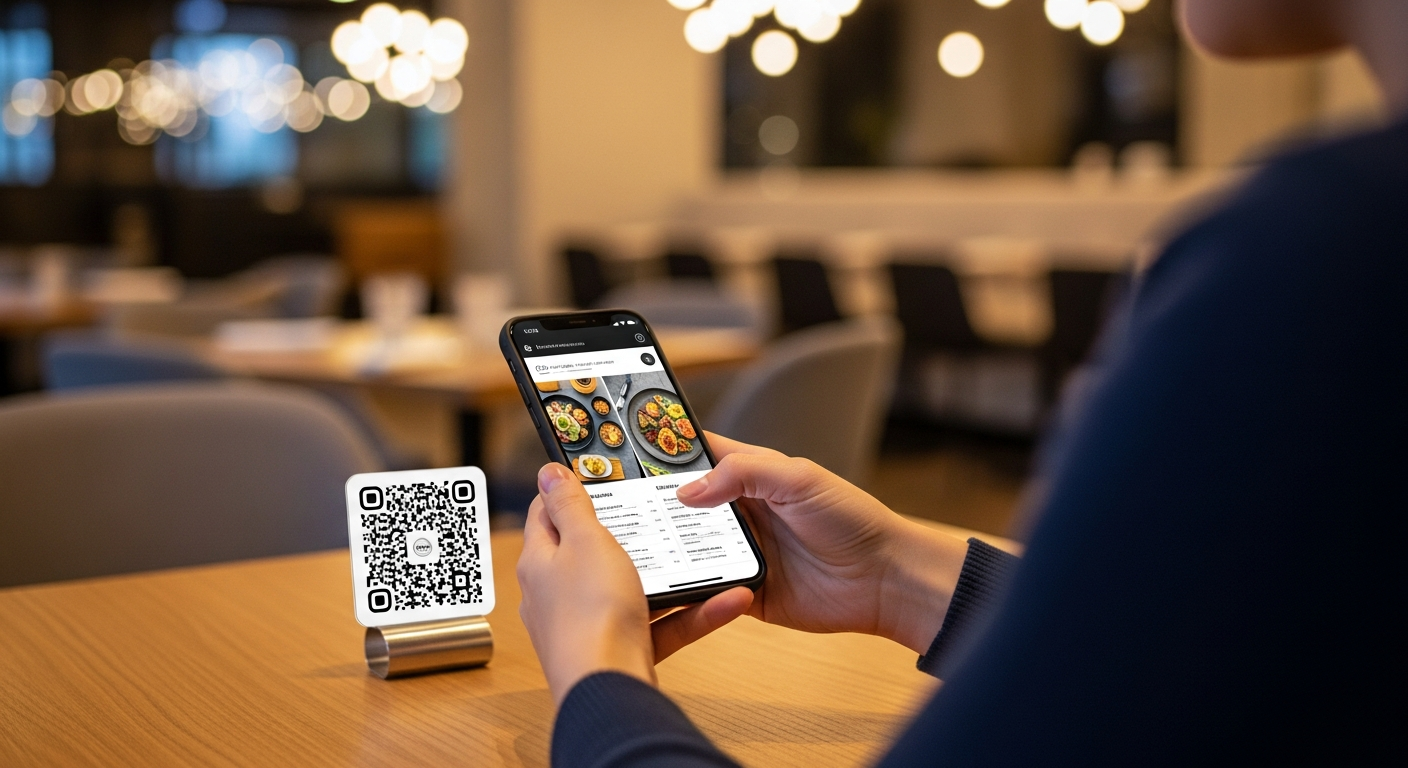
Three years ago, contactless ordering was an emergency response to a pandemic. In 2026, it's a revenue strategy. Restaurants using scan-to-order systems report average check increases of 15–30%, and the technology has matured past the clunky, confusing first-generation tools that gave it a bad name. If you tried contactless ordering in 2021 and abandoned it, the landscape has changed enough to warrant a second look.
This guide covers what contactless ordering actually means today, the business case by the numbers, five implementation models for different restaurant types, and how to get started without disrupting your current operation.
What Contactless Ordering Means in 2026
The term "contactless ordering" has expanded well beyond its original definition. In 2026, it encompasses any ordering workflow where the guest initiates and completes their order digitally, without handing a menu to a server or dictating items verbally. The main models include:
- Scan-to-browse. Guest scans a QR code, views a digital menu, then places their order verbally with a server. The tech handles the menu; the human handles the order.
- Scan-to-order. Guest scans, browses, selects items, and submits the order directly to the kitchen. No server interaction required for ordering.
- Scan-to-order-and-pay. The full loop: browse, order, pay, and close the tab — all from the guest's phone.
- Kiosk ordering. A shared touchscreen (counter-service restaurants, fast casual). Not truly "contactless" in the hygienic sense, but it removes the traditional counter interaction.
- App-based ordering. The guest uses a restaurant's own app or a third-party platform to order before or during the visit.
The approach that's gaining the most traction in 2026 is the scan-to-order model — it requires zero app downloads, works on any smartphone, and slides into existing restaurant workflows with minimal disruption.
The Business Case: Why the Numbers Are Hard to Ignore
The National Restaurant Association's 2025 State of the Industry report found that 67% of consumers are more likely to order from a restaurant that offers contactless options, and that number climbs to 78% for guests under 40.
But the real story is in the revenue data:
Average check increase: 15–30%. When guests browse a visual digital menu at their own pace, without the social pressure of a server waiting, they add more items. Desserts, sides, specialty drinks, and add-ons all see higher conversion rates. Toast's 2025 restaurant technology report documented an average 22% check increase for restaurants using scan-to-order systems.
Faster table turns: 10–20%. When ordering and payment happen on the guest's device, the bottleneck shifts from "waiting for the server" to "waiting for the kitchen." Tables that used to take 65 minutes now take 52–58 minutes.
Labor reallocation. Contactless ordering doesn't eliminate servers — it frees them. Instead of taking orders and running payment terminals, they focus on hospitality: greeting guests, answering questions, recommending dishes, solving problems. The result is better service with the same headcount.
Reduced order errors. When the guest enters the order directly, miscommunication drops to near zero. Fewer comped meals, fewer remakes, and fewer frustrated guests.
Five Contactless Ordering Models by Restaurant Type
### 1. Fine Dining: Scan-to-Browse
Full contactless ordering feels wrong in a Michelin-starred tasting room, and your guests agree. But a beautifully designed digital menu — with professional photography, wine pairing notes, and allergen information — enhances the experience without removing the human element. Guests browse on their phone, then order through their server as usual.
### 2. Casual Dining: Scan-to-Order with Server Assist
The sweet spot for most sit-down restaurants. Guests scan, browse, and place their initial order digitally. Servers check in for follow-up orders, make recommendations, and handle any issues. This model captures the upsell benefit of digital menus while preserving the personal touch.
### 3. Fast Casual: Full Scan-to-Order-and-Pay
Counter-service and fast-casual restaurants benefit most from the full loop. Guests order and pay from their phone or a kiosk, pick up at the counter, and the entire transaction happens without a cashier. This reduces labor needs at the counter and eliminates the checkout line.
### 4. Bars and Pubs: Tab-Based Ordering
Guests open a tab by scanning a QR code at their seat or at the bar. They add rounds throughout the night without flagging down a bartender. When they're ready to leave, they close and pay on their phone. For busy bars, this model can increase drink orders by 20–35% simply by removing the friction of waiting to be served.
### 5. Hotel Restaurants and Room Service
Contactless ordering is a natural fit for hotel dining. Guests scan a QR code in their room, at the pool, or in the lobby restaurant. Orders route to the kitchen with the room number attached. No phone calls, no paper menus slipped under doors, no miscommunication.
Implementation Steps: Getting Started This Month
Week 1: Choose your model and platform. Based on your restaurant type, decide which level of contactless ordering fits your operation. Select a platform that matches — Vino, for example, supports scan-to-browse and scan-to-order models with built-in QR code generation, AI menu photos, and multilingual support.
Week 2: Build your digital menu. Enter your items, descriptions, prices, and photos. If you don't have professional food photos, some platforms offer AI-generated dish images that look remarkably convincing. Organize categories the way a guest thinks — not the way your kitchen is organized.
Week 3: Set up QR codes and train your team. Print QR codes on durable table stands. Train servers on the new workflow: what changes, what stays the same, and how to help guests who need it. Run a soft launch on 5–10 tables.
Week 4: Full rollout and measure. Expand to all tables. Track three metrics from day one: scan rate (percentage of tables that use the QR code), average check size versus your baseline, and table turn time. Compare weekly.
Overcoming the Five Most Common Objections
"My guests want human interaction." Contactless ordering doesn't remove interaction — it redirects it. Servers spend less time as order-takers and more time as hosts. Most operators report that guest satisfaction scores go up, not down.
"It's too complicated for my older customers." Keep 10–15 printed menus available. Frame the QR code as the default, not the mandate. In practice, 70–85% of guests adopt it within the first month, including most older diners. For more data on this, see our guide on QR code menu benefits.
"My staff will resist it." Involve them early. Show them the data on tips — servers at restaurants with contactless ordering often see higher tips because they have more time for genuine hospitality. Run the pilot on a few tables first so they can see it work before committing.
"I don't want to pay commissions to a third party." You shouldn't. The best contactless ordering platforms charge a flat monthly fee — not a percentage of each order. This is fundamentally different from delivery apps that take 15–30% of revenue.
"What about guests without smartphones?" In 2026, smartphone penetration among U.S. adults is above 90%. But always have a paper fallback. The goal is digital-first, not digital-only.
The Bottom Line
Contactless ordering in 2026 is not a pandemic relic — it's a proven revenue and efficiency tool that adapts to every restaurant format. The technology is faster, cheaper, and more intuitive than it was even two years ago. The operators who adopt it aren't choosing between technology and hospitality. They're using one to amplify the other.
Start with the model that fits your restaurant type, launch a pilot this month, and let the data guide your next step. Check out Vino's pricing plans to see how quickly you can get started — most restaurants go live in under 30 minutes.
Ready to go digital?
Create your restaurant's smart digital menu in minutes with Vino. No app downloads, no complicated setup.
Latest Posts
How Independent Restaurants Can Go Digital on a Shoestring Budget
6 min read
The Restaurant Owner's Playbook for Daypart Menus: Automate Breakfast, Lunch, Dinner, and Happy Hour
9 min read
How to Make Your Digital Menu ADA and EAA Compliant (Before You Get Fined)
6 min read
Allergen Compliance on Digital Menus: A Guide for EU and UK Restaurants
5 min read